In This Article:
How can I access Paddy Power Bingo?
You can access Paddy Power Bingo online through your desktop/computer. Alternatively, you can play Bingo online on your mobile or tablet using our app!
How do I choose my nickname?
Upon entering your first game you will be prompted to register your nickname. Your nickname is the name that you choose to be seen as by other players in the bingo rooms and chat rooms, so pick something you like!
For security reasons we recommend that you do not use your account username as your Bingo nickname.
Having an nickname is a pre-requisite for any Bingo game. Once you launch a Bingo game (whether you are a new customer or have an existing account), you will be prompted to create your nickname before you can continue to play Bingo, if you have not yet done so.
Choose carefully, your nickname cannot be amended within your settings once selected.
How to Play
Playing Paddy Power Bingo is exciting and easy. First you buy tickets for the game, and then once the game starts numbers or shapes are called out randomly. When a number or shape that's called matches one on your ticket, it's marked off.
There is a countdown within the lobby informing you of when the next game is starting. This countdown is up to 10 seconds and when it elapses you can no longer purchase tickets for the next game.
Bingo Rooms & Clubs
They are basically the same thing, but we use clubs on our most popular Bingo games (such as Bingo90) when there's lots of players. This way, you can choose a club that suits you!
Tickets & Strips
A ticket is an individual grid made up of a varying amount of rows and columns dependent on the game type selected.
Every possible number from the game type will appear on each full strip. For example, in 90 Ball Bingo, every possible number from 1 through to 90 will appear on each full strip of tickets.
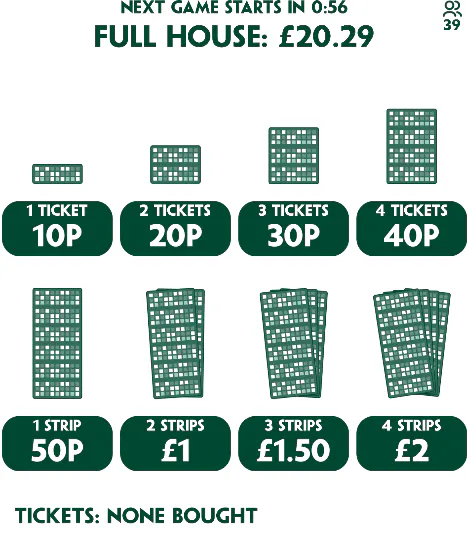
How to purchase tickets
1) Enter a Paddy Power Bingo game.
2) You will immediately be presented the options to purchase tickets upon launching the game.
3) Select the number of tickets you wish to purchase.
4) Click 'Buy' or 'Confirm' depending on the game.
How to Pre Buy tickets?
This feature has changed and pre-buy is only available on bingo90 and bingo Lite games. We do not offer this on all Bingo games.
1) Enter the Bingo game.
2) Select the 3 line icon, and then select settings.
3) Click 'Pre-Buy'.
4) Select your desired game and tickets before confirming.
You can read more on Pre-Buy here.
How to Win
The numbers called are shown on screen. The last number called out is displayed as well as the previous numbers. Numbers displayed on your tickets which have already been called out will be daubed automatically, so don't worry if you lose track for a while!
If you win, a big message will appear on your screen displaying your alias and telling you whether you've won a line, two lines or the Full House. Equally, if another player wins in your game, you will see this with details of their win.
In the mean time, your tickets are ordered in the screen so that those closest to winning a line appear first, and are colour coded according to the number of numbers you have yet to get to complete the next prize.
Auto Marking
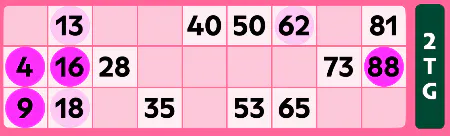
As above, numbers displayed on your tickets which have already been called out will be daubed automatically in a darker shade.
If you have auto marking turned off, and you miss a call, this will show in a lighter shade for you to manually press!
You can toggle this setting within the Bingo Room settings by clicking the 3 lines, and then the settings icon.